Git is distributed version control system
Uses of Git
Track changes in files in local storage
Have a check point (as same as the video game have check point to save the progress of game) helps to backward movement in any check point
Collaborative works get easier with Git
Work backed up
Why Git
Version Control
Helps to move backward and forward across project version
Collaboration
Helps to multiple developer can work in project parallel
Branching Support
Have a separate section to do experiment without affecting the actual code base
Provide Backup
Store in repository(folder)
Git basic and Core Terminologies
Repository(repo)
A files/folder contains the code
Commit(Snapshot)
Project Snapshot at a point of time
Branch ( Separate section)
A separate line of development (main or master)
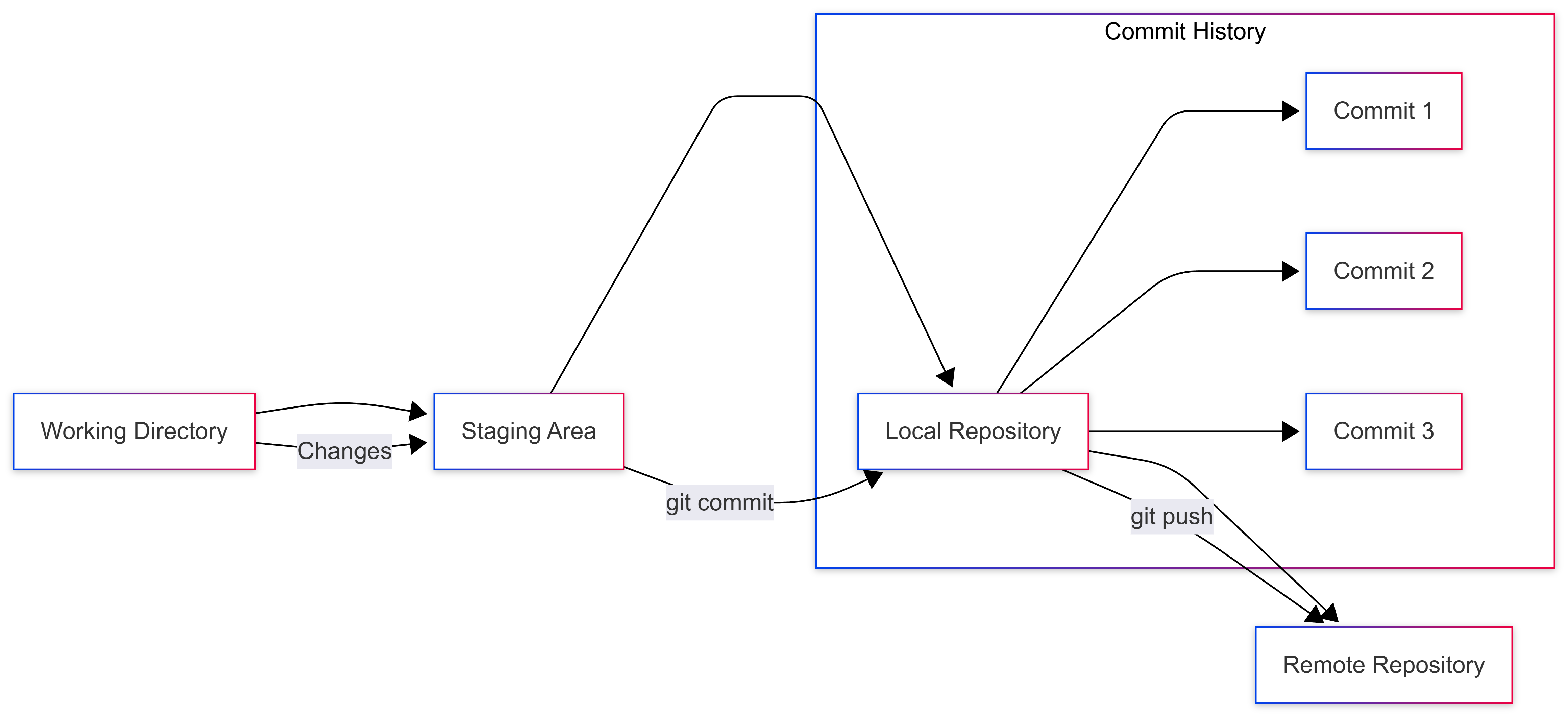
Staging Area
Area where changes are prepared before commiting
Head
Pointer pointing the current branch
Git basic Commands
git init
Initialize Git and creating a new git repo in current folder
git status
gives the output of modified ,staged and untracked files
git add filename
adding file to staging area
git commit -m “message here”
command to commit changes
Git Workflow
create project folder
Run
git initCreate /edits files
Run
git statusto see changesStage the file using
git add
Commit the changes using git commit